
Team Workspace
Priorities and follow-ups.
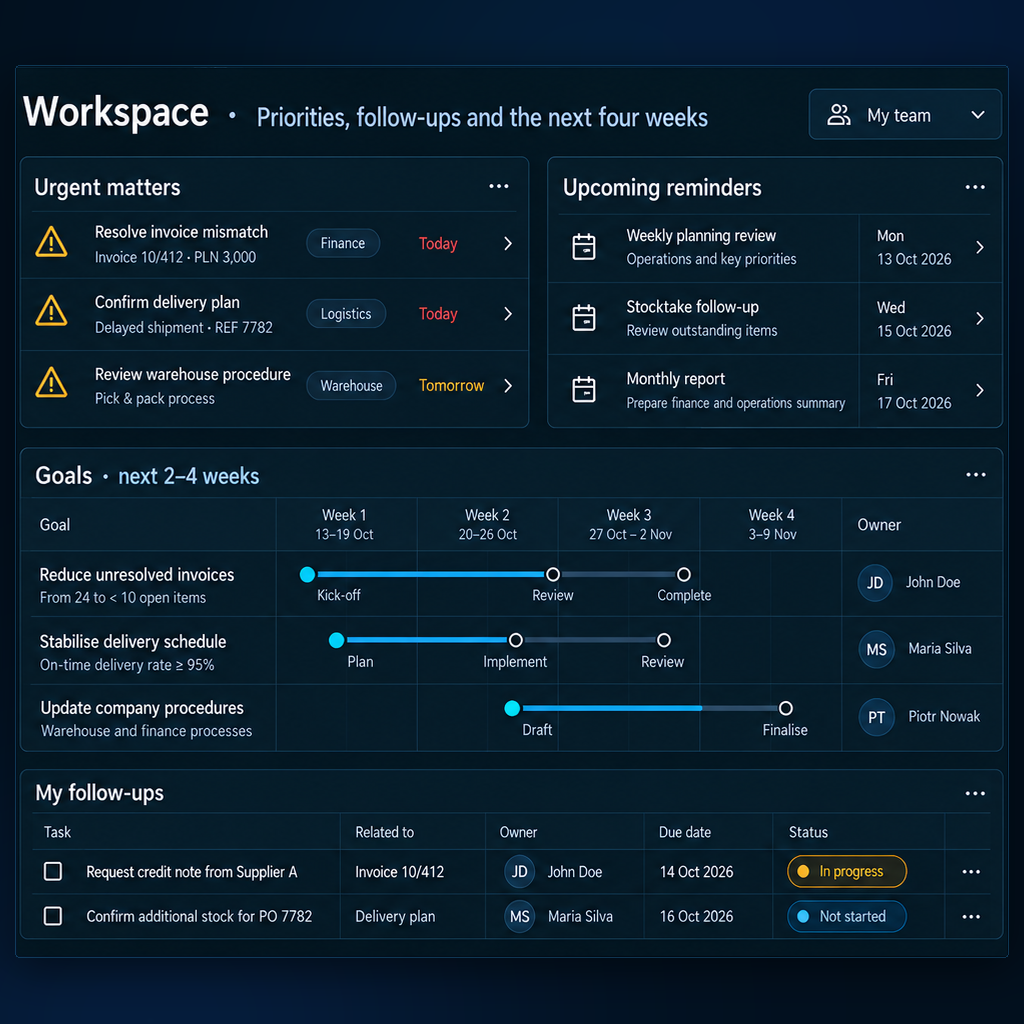
Urgent matters, upcoming reminders and goals for the next four weeks. Follow-up tasks show their owners, due dates and current status.
Employees work with documents, analysis and automation relevant to their tasks. Neuro Edge modules support individual departments, while Core Logic coordinates work across them. We tailor the system following a business audit.
The employee workspace
Employees talk to the system, use departmental documents and delegate tasks within their permissions. Analysis results identify the data sources and the period covered.
Team Workspace
Urgent matters, upcoming reminders and goals for the next four weeks. Follow-up tasks show their owners, due dates and current status.
Company Knowledge
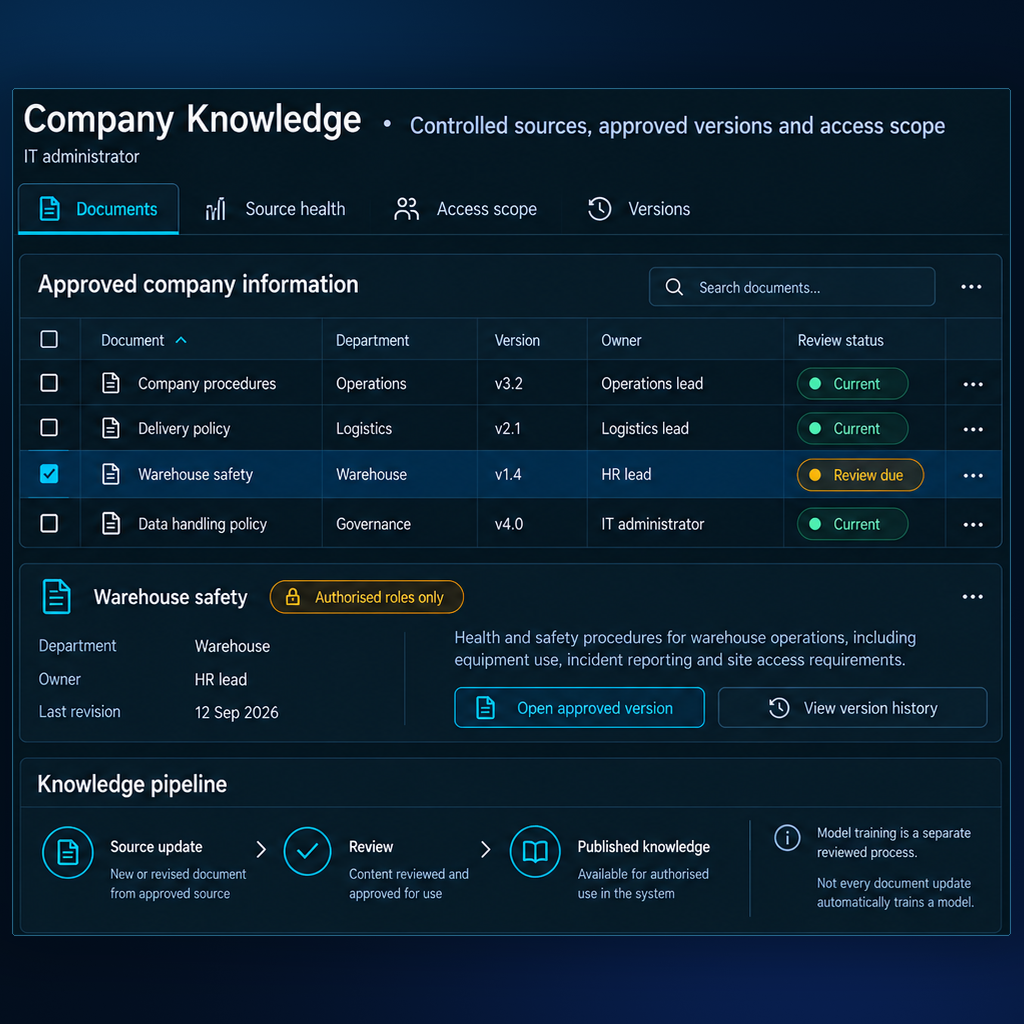
Company documents with their department, owner, version and review status. The selected document brings its approved version and revision history into view.
Structure
Core Logic coordinates tasks across departments and manages their progress, data access and required approvals. Neuro Edge modules support each department's work.
Finance
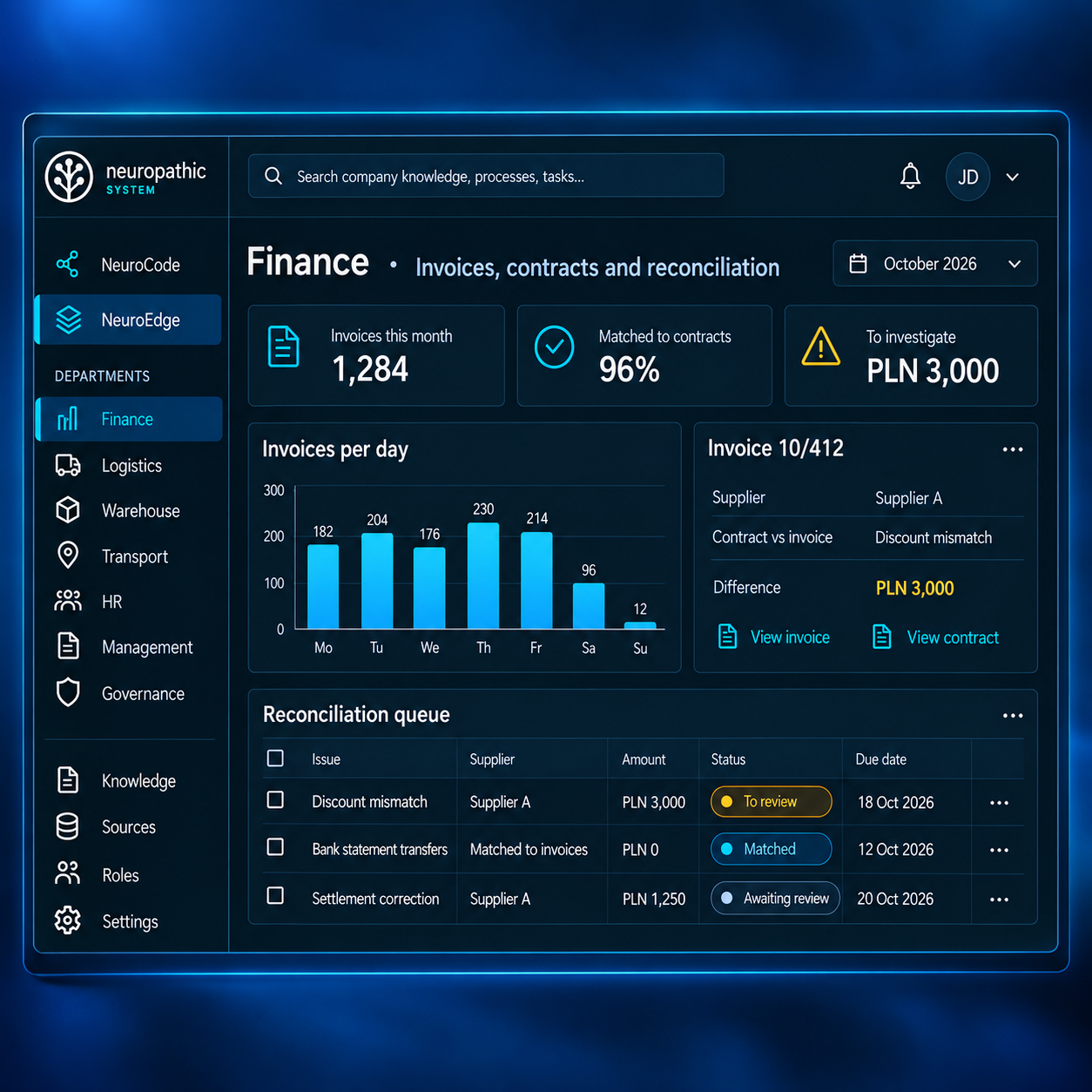
Invoices, contract matching and differences that need review. The reconciliation queue keeps each issue with its supplier, amount and due date.
Logistics
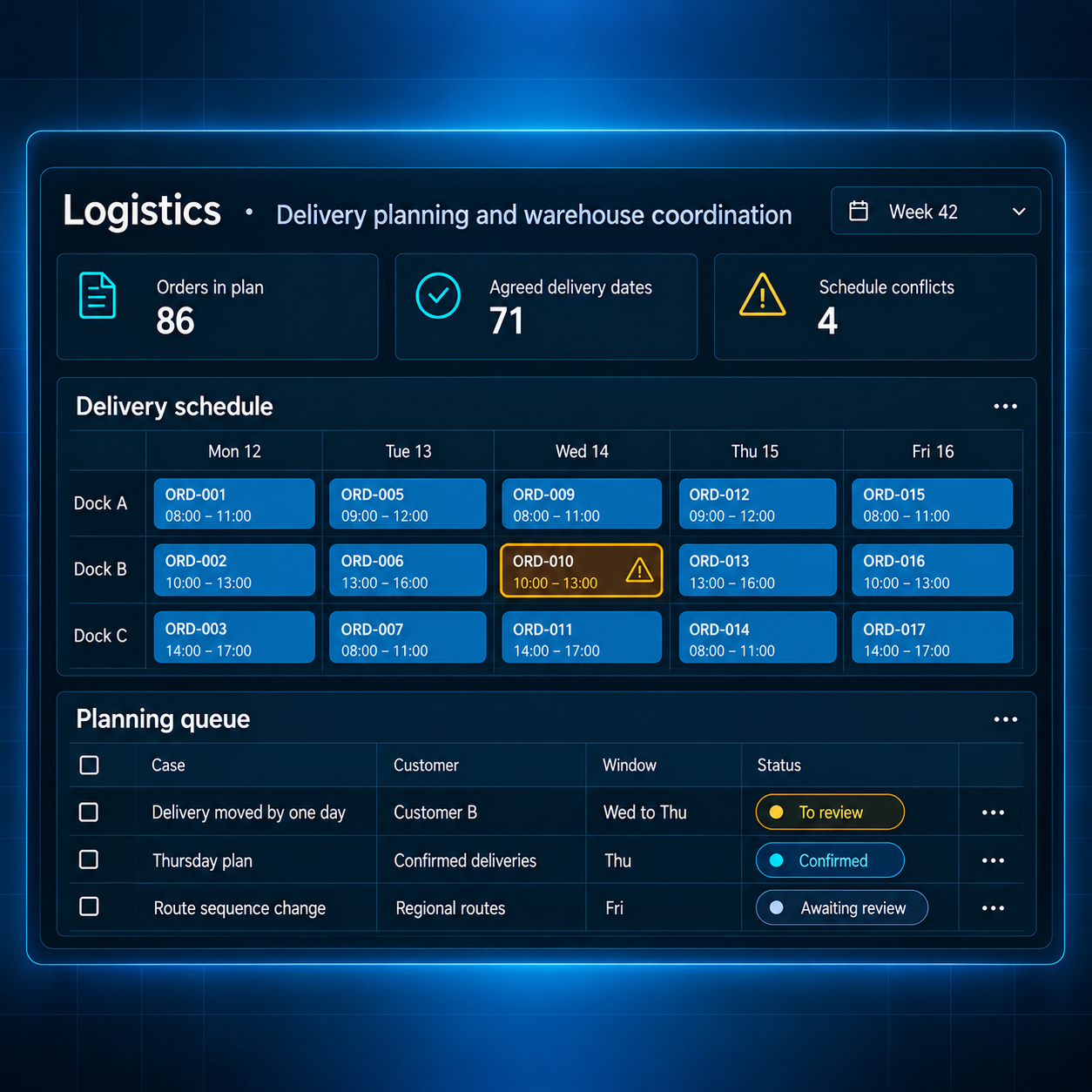
A delivery schedule organized by day and dock, with scheduling conflicts called out. The planning queue shows changed delivery windows and items awaiting review.
Transport
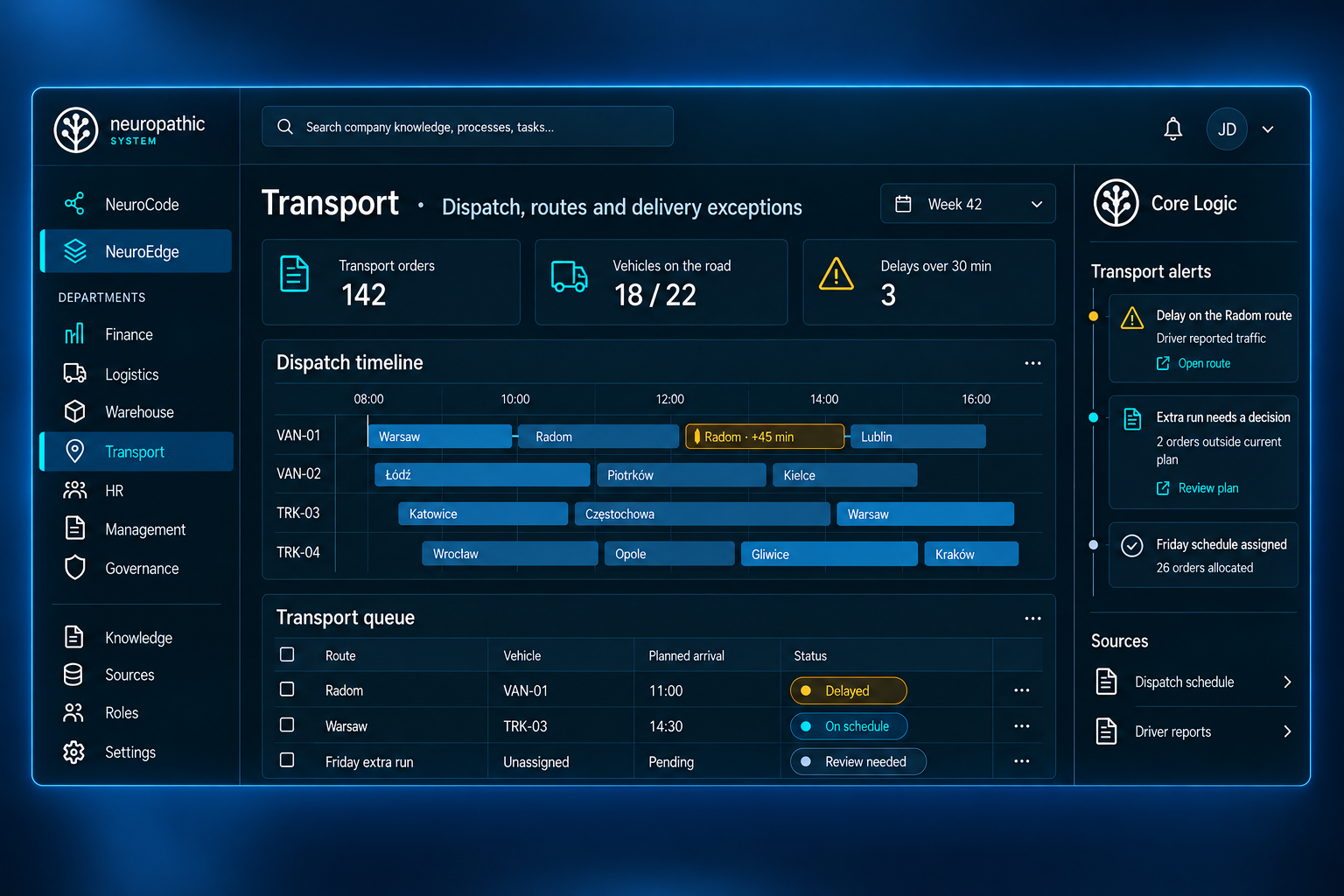
Vehicle dispatch schedules, route ETAs and delivery exceptions. The transport queue shows assigned vehicles and status, while Core Logic highlights delays and pending route decisions.
Warehouse
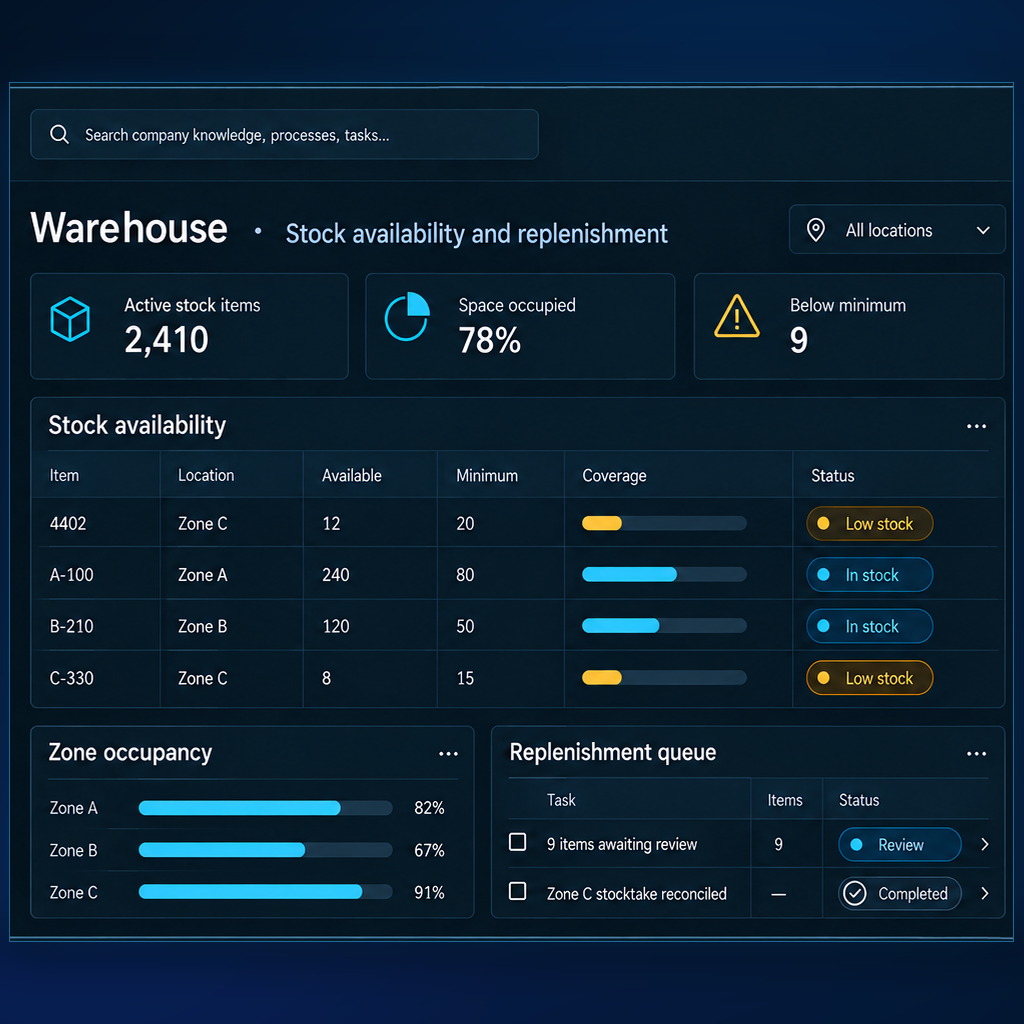
Available quantities, minimum levels and coverage for each stock location. Zone occupancy and the replenishment queue sit alongside the availability table.
HR
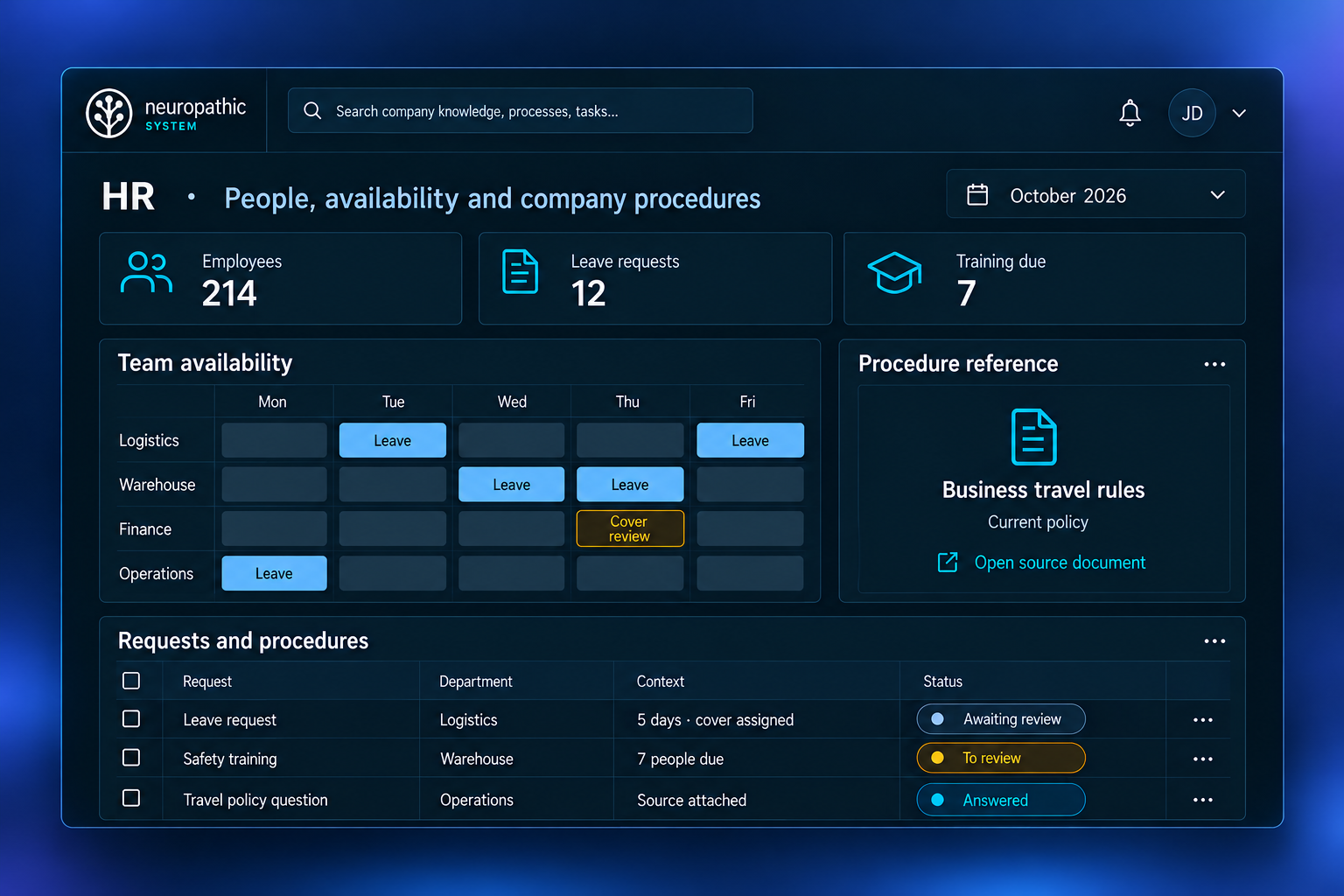
Team availability, leave requests and upcoming training. Each request shows its department, context and status, alongside a reference to the relevant company procedure.
Management
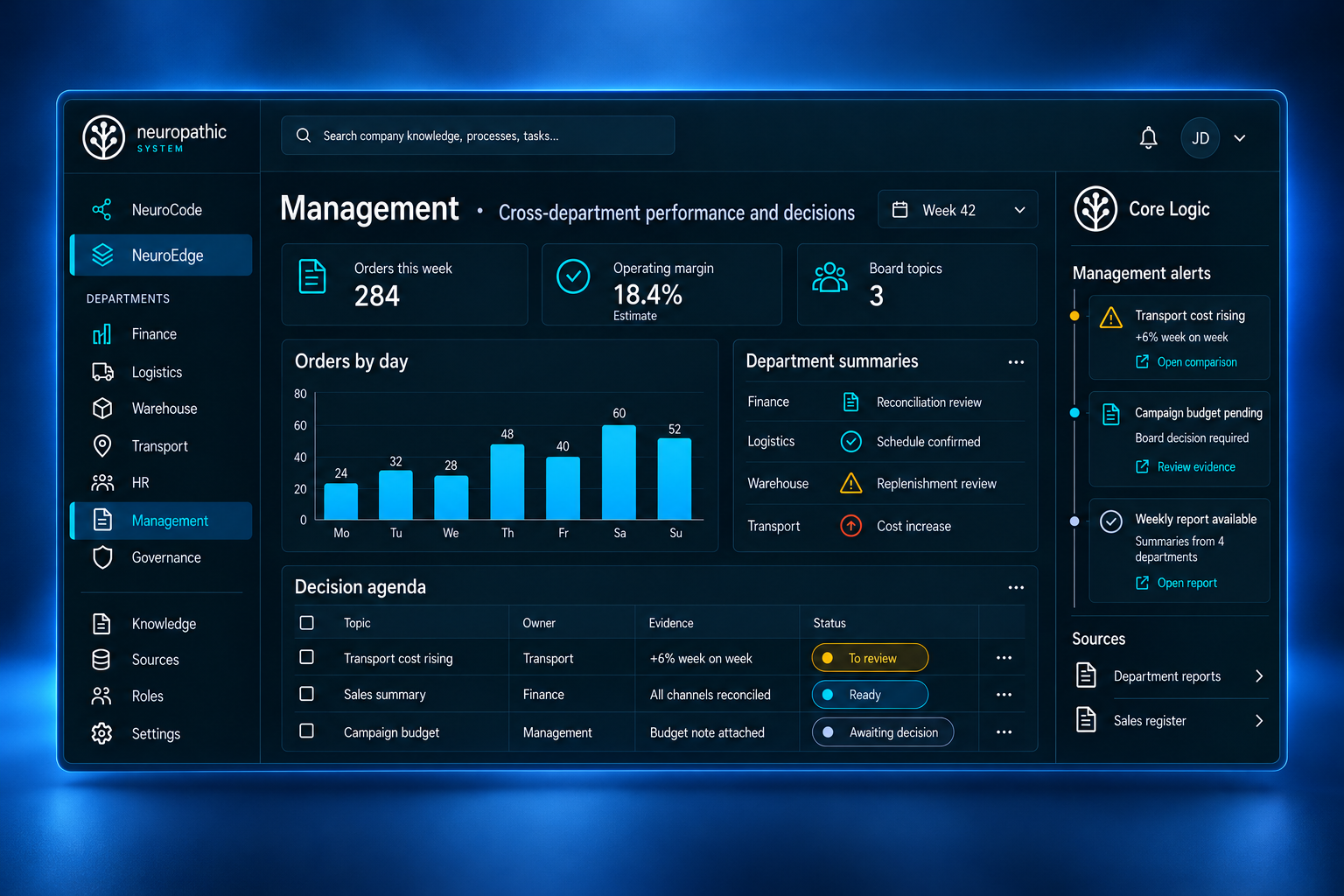
Orders, operating-margin estimates and department summaries in one view. The decision agenda tracks owners, evidence and status, with Core Logic highlighting items that need attention.
We tailor modules to the departments covered by the implementation. During the audit, we agree what each module will do.
Control
The system is built on defined processes, analytics and automation. Models help interpret information and support conversation. Core Logic coordinates tasks and enforces access and execution rules.
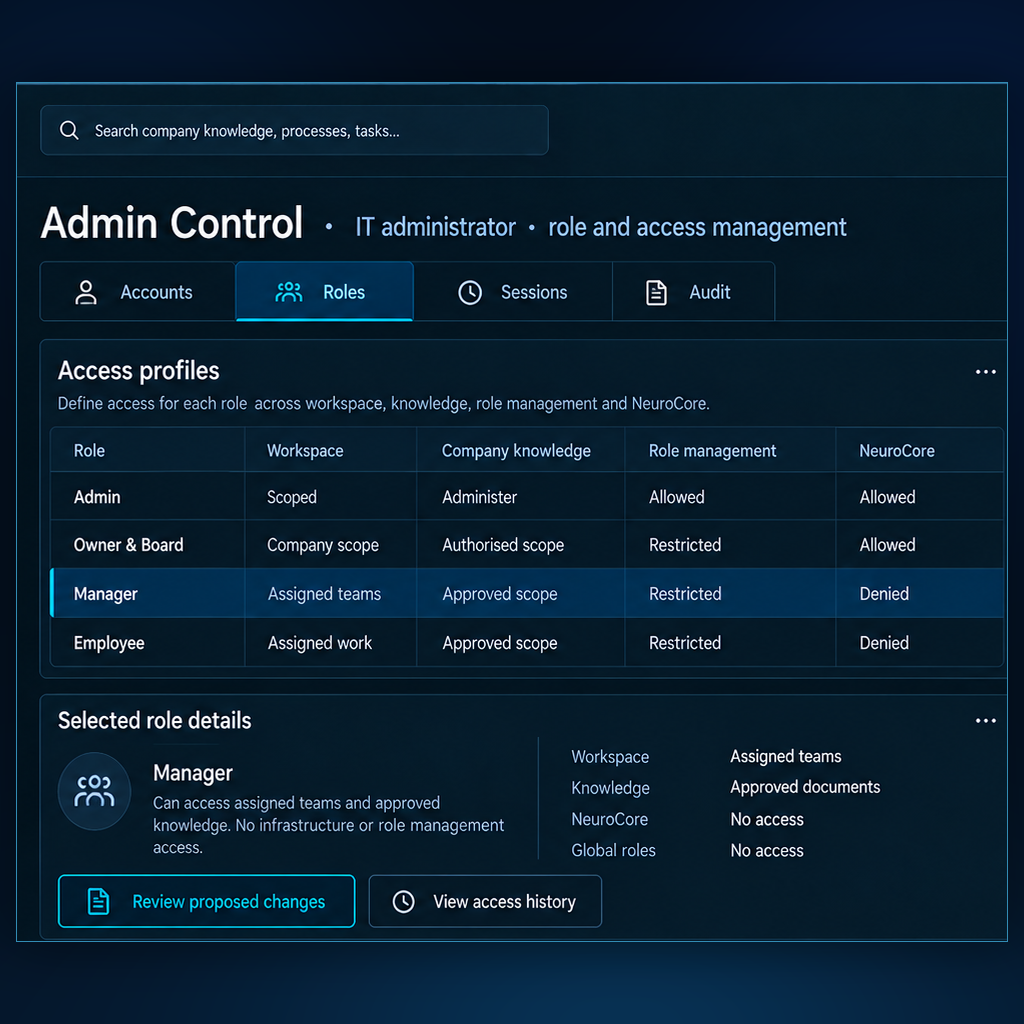
Admin Control
Access profiles and a role permission matrix for the workspace, company knowledge and administration. The selected role shows its assigned scope and restrictions.
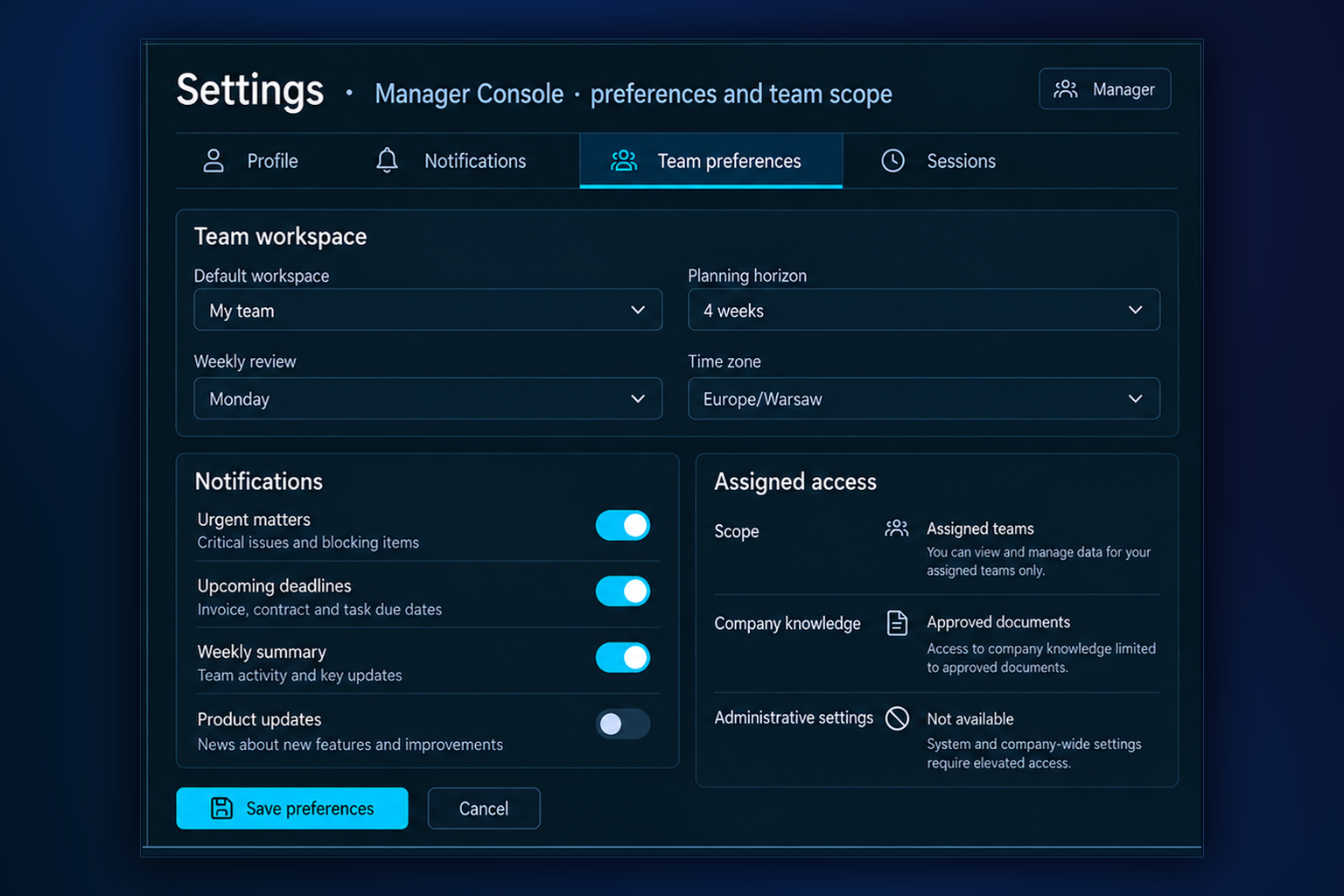
Team Settings
Choose the workspace, planning horizon, weekly review and notifications. The Manager Console shows the assigned team scope and approved knowledge access; administrative settings require elevated access.
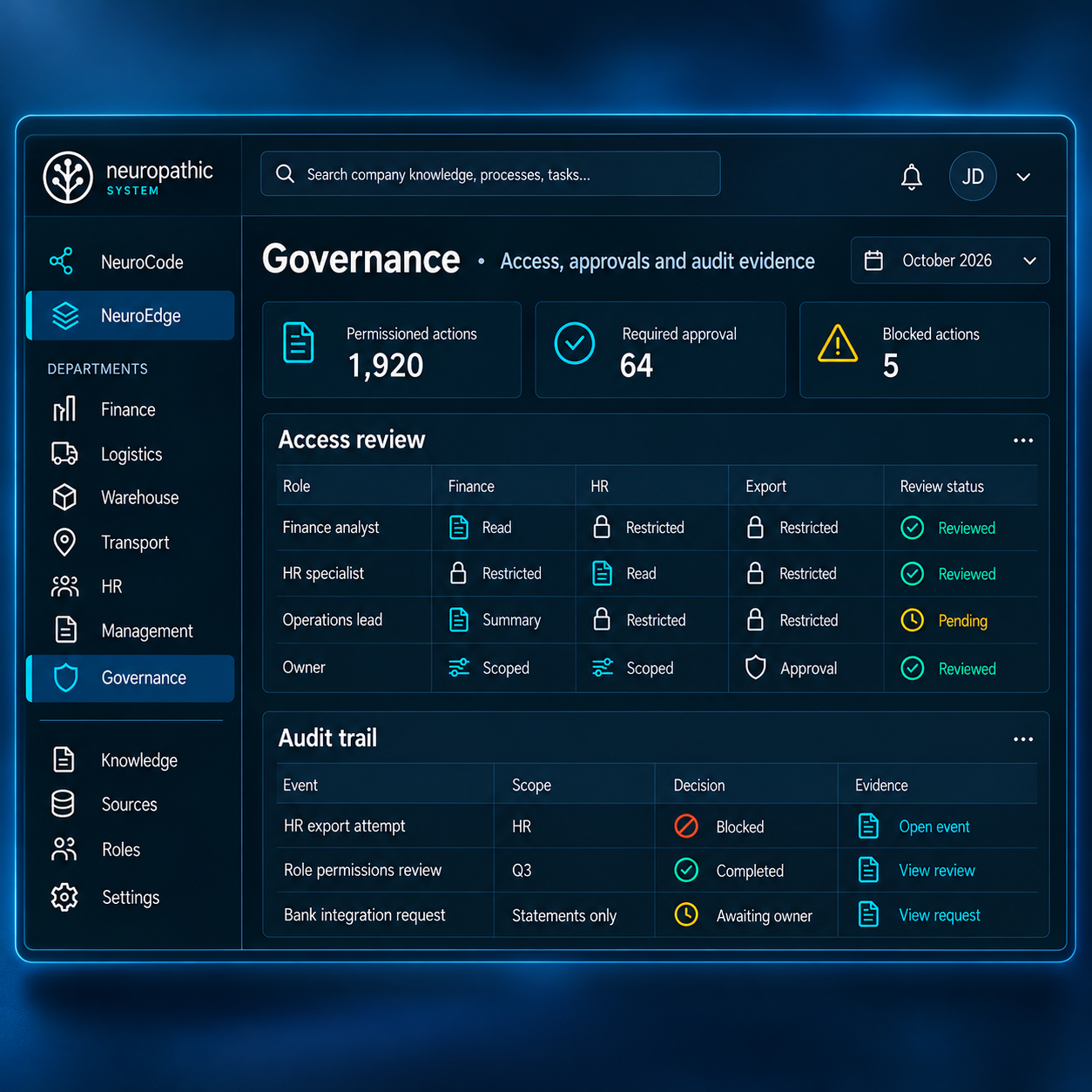
Governance
Role access reviews and their status, alongside an audit trail. Each recorded event is presented with its scope, decision and supporting evidence.
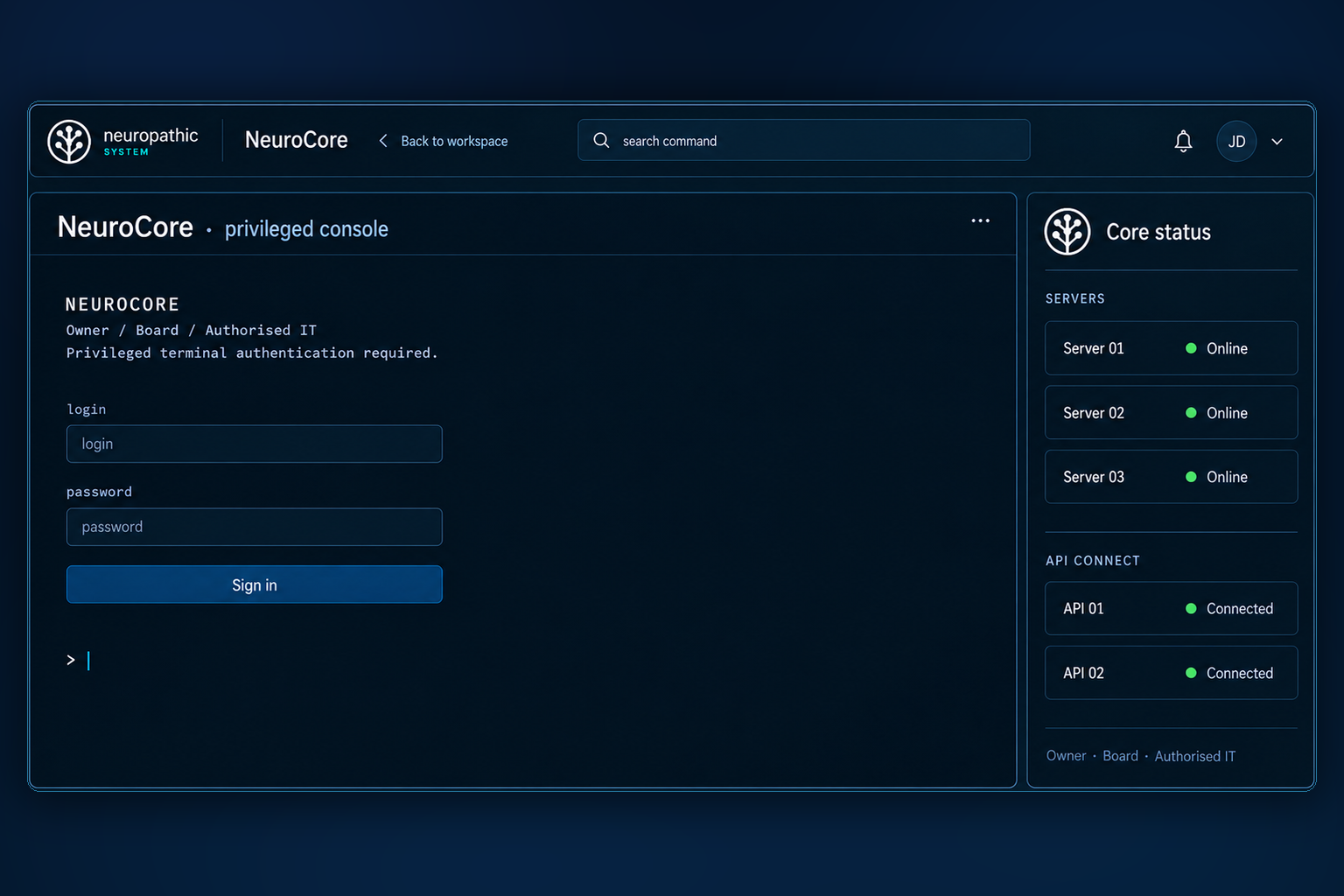
NeuroCore
The privileged console for the owner, board and authorized IT roles. Its sign-in area is presented alongside the system connection overview.
Document updates, process rule changes and model fine-tuning are agreed separately. They are distinct ways of adapting the system to your business.
Deployment options
The system can run on your infrastructure or in an isolated cloud environment. Access to external services and the data shared with them are agreed separately.
Connections to external systems and services depend on the agreed deployment setup.